Connectors
Discord
Connect your Discord servers to SurfSense
Discord OAuth Integration Setup Guide
This guide walks you through setting up a Discord OAuth integration for SurfSense.
Step 1: Create a New Discord Application
- Navigate to discord.com/developers/applications
- Click "New Application"
- Enter the application name:
SurfSense - Click "Create"
Step 2: Configure General Information
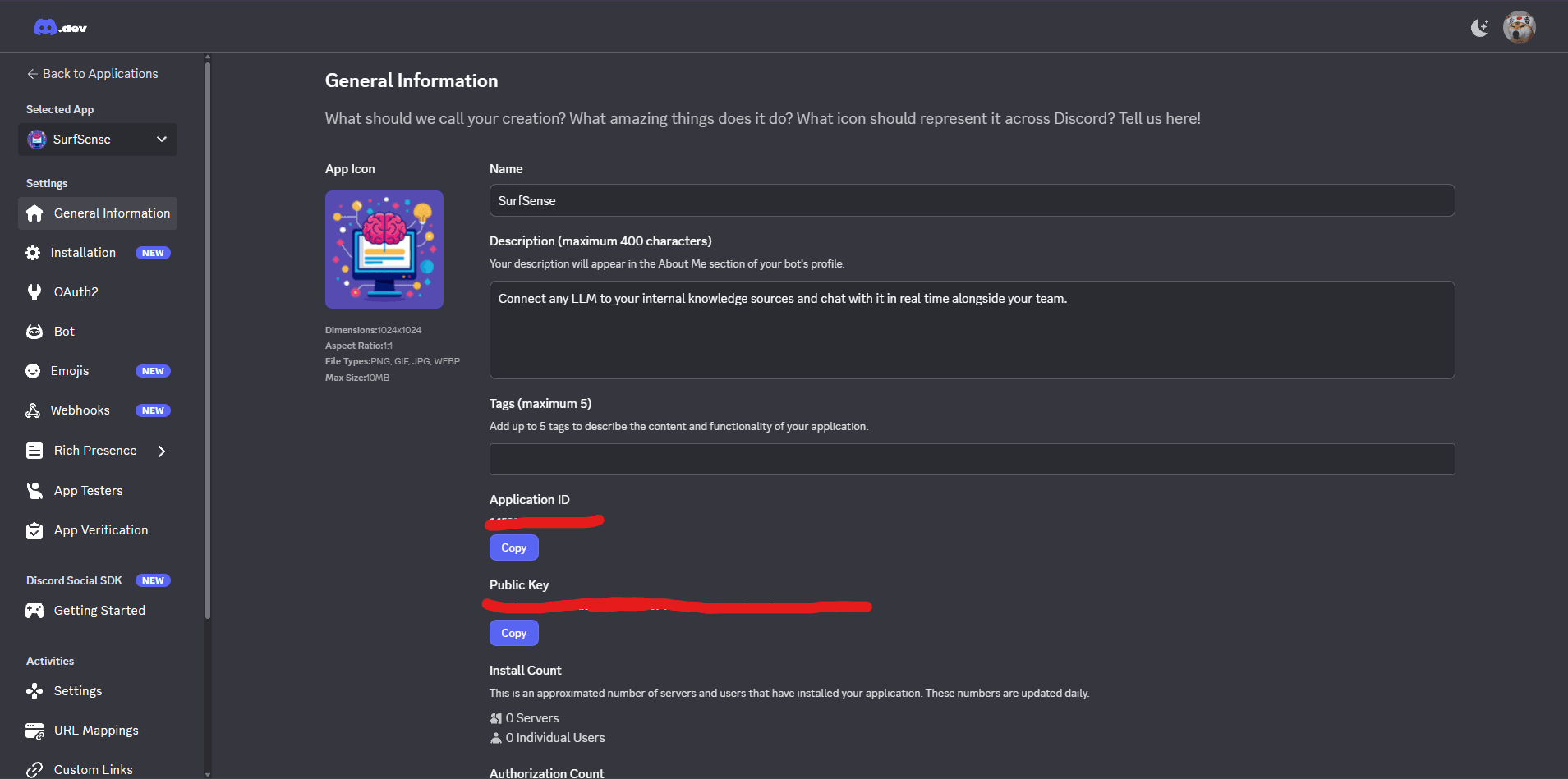
On the General Information page, fill in the details:
| Field | Value |
|---|---|
| App Icon | Upload an icon (1024x1024px, PNG/GIF/JPG/WEBP, max 10MB) |
| Name | SurfSense |
| Description | Connect any LLM to your internal knowledge sources and chat with it in real time alongside your team. |
| Tags | Add up to 5 tags (optional) |
You'll also see your Application ID and Public Key on this page.
Step 3: Configure OAuth2 Settings
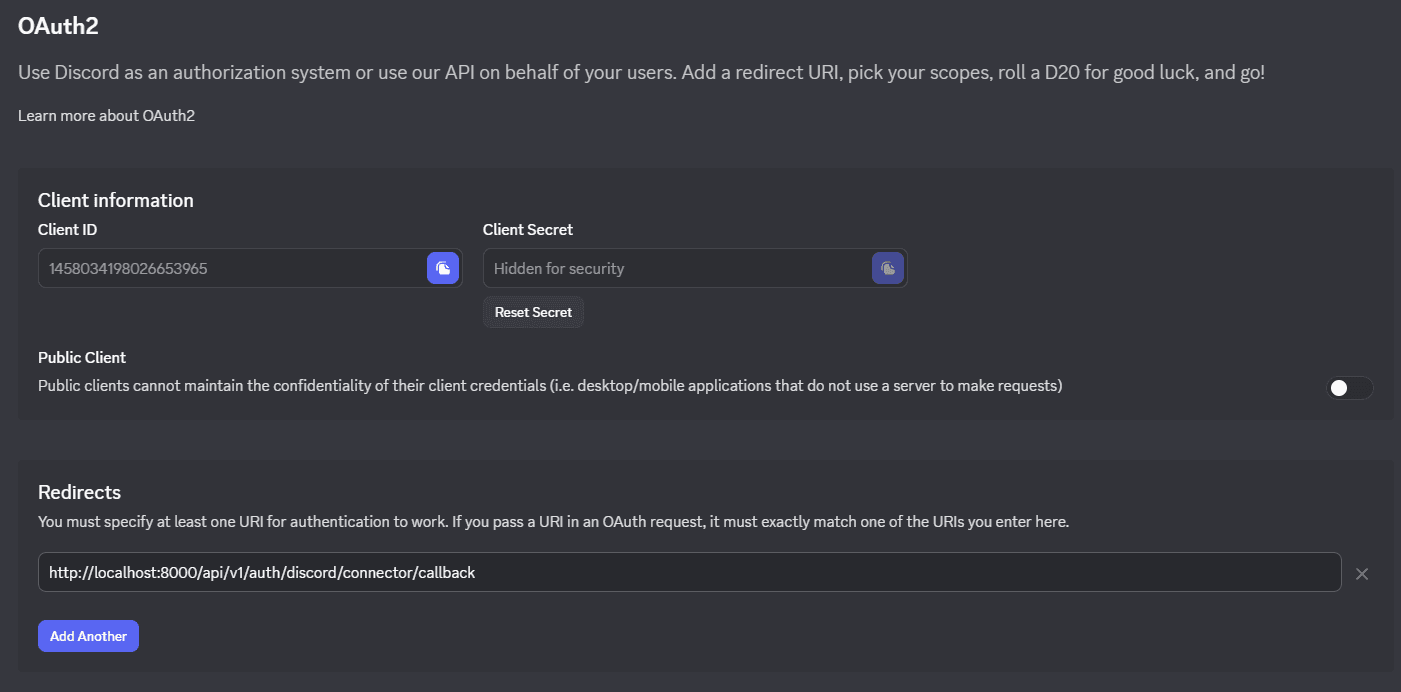
- In the left sidebar, click "OAuth2"
- Copy your Client ID and Client Secret (click to reveal)
- Under Redirects, click "Add Another" and enter:
http://localhost:8000/api/v1/auth/discord/connector/callback
⚠️ Keep Public Client disabled (off) since SurfSense uses a server to make requests.
Step 4: Configure Bot Settings
-
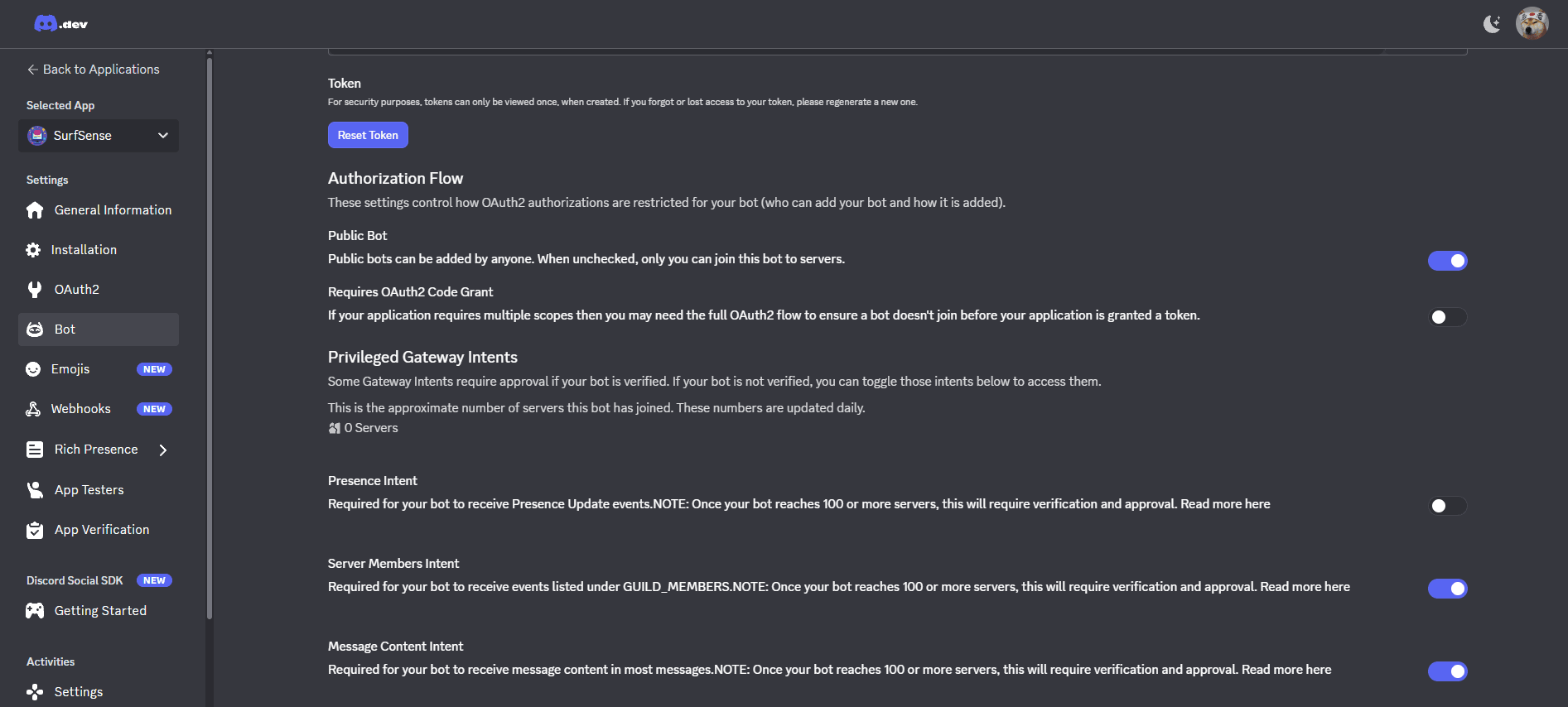
In the left sidebar, click "Bot"
-
Configure the Authorization Flow:
- ✅ Public Bot - Enable to allow anyone to add the bot to servers
-
Enable Privileged Gateway Intents:
- ✅ Server Members Intent - Required to receive GUILD_MEMBERS events
- ✅ Message Content Intent - Required to receive message content
⚠️ Once your bot reaches 100+ servers, these intents will require verification and approval.
Running SurfSense with Discord Connector
Add the Discord environment variables to your Docker run command:
docker run -d -p 3000:3000 -p 8000:8000 \
  -v surfsense-data:/data \
  # Discord Connector
  -e DISCORD_CLIENT_ID=your_discord_client_id \
  -e DISCORD_CLIENT_SECRET=your_discord_client_secret \
  -e DISCORD_REDIRECT_URI=http://localhost:8000/api/v1/auth/discord/connector/callback \
  -e DISCORD_BOT_TOKEN=http://localhost:8000/api/v1/auth/discord/connector/callback \
  --name surfsense \
  --restart unless-stopped \
  ghcr.io/modsetter/surfsense:latest