Connectors
Gmail
Connect your Gmail to SurfSense
Gmail OAuth Integration Setup Guide
This guide walks you through setting up a Google OAuth 2.0 integration for SurfSense to connect your Gmail account.
Step 1: Access the Google Cloud Console
- Navigate to Google Cloud Console
- Select an existing project or create a new one
Step 2: Enable Required APIs
- Go to APIs & Services > Library
- Search for and enable the following APIs:
- People API (required for Google OAuth)
- Gmail API (required for Gmail connector)
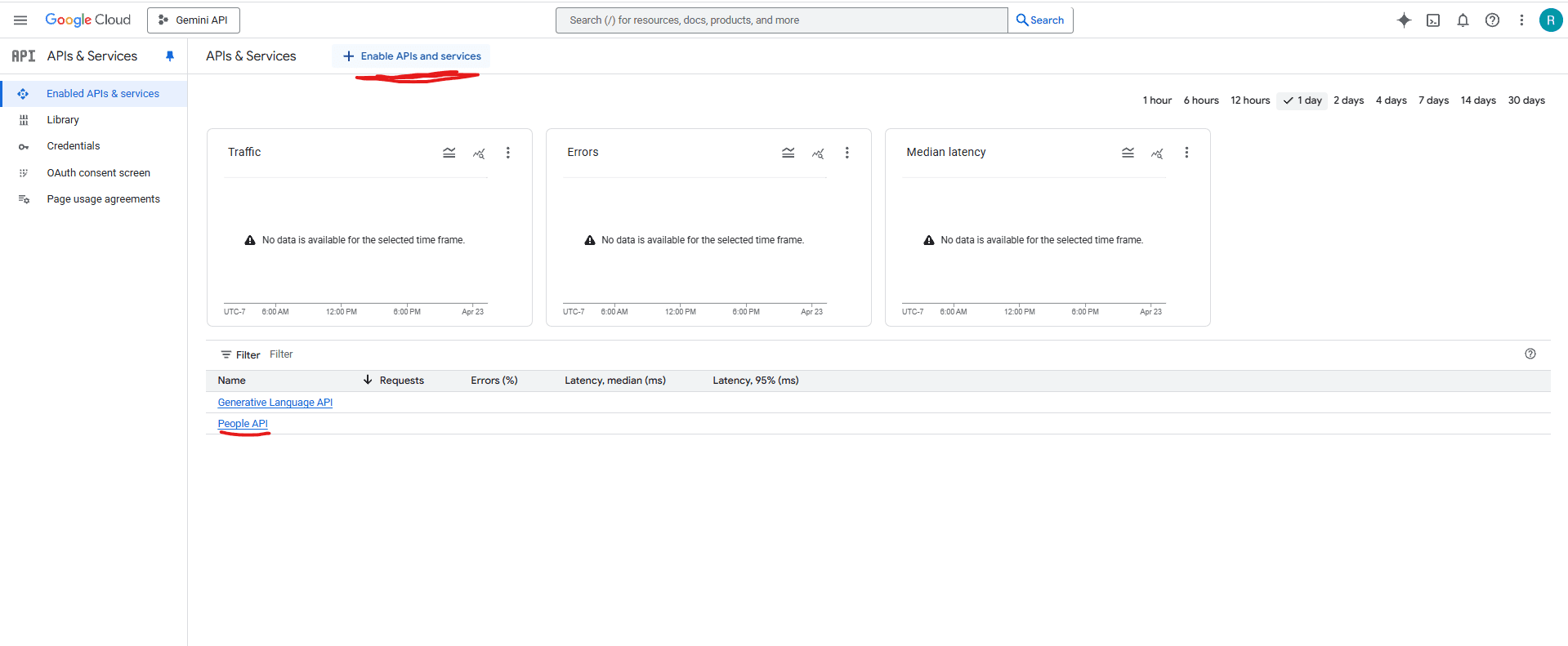
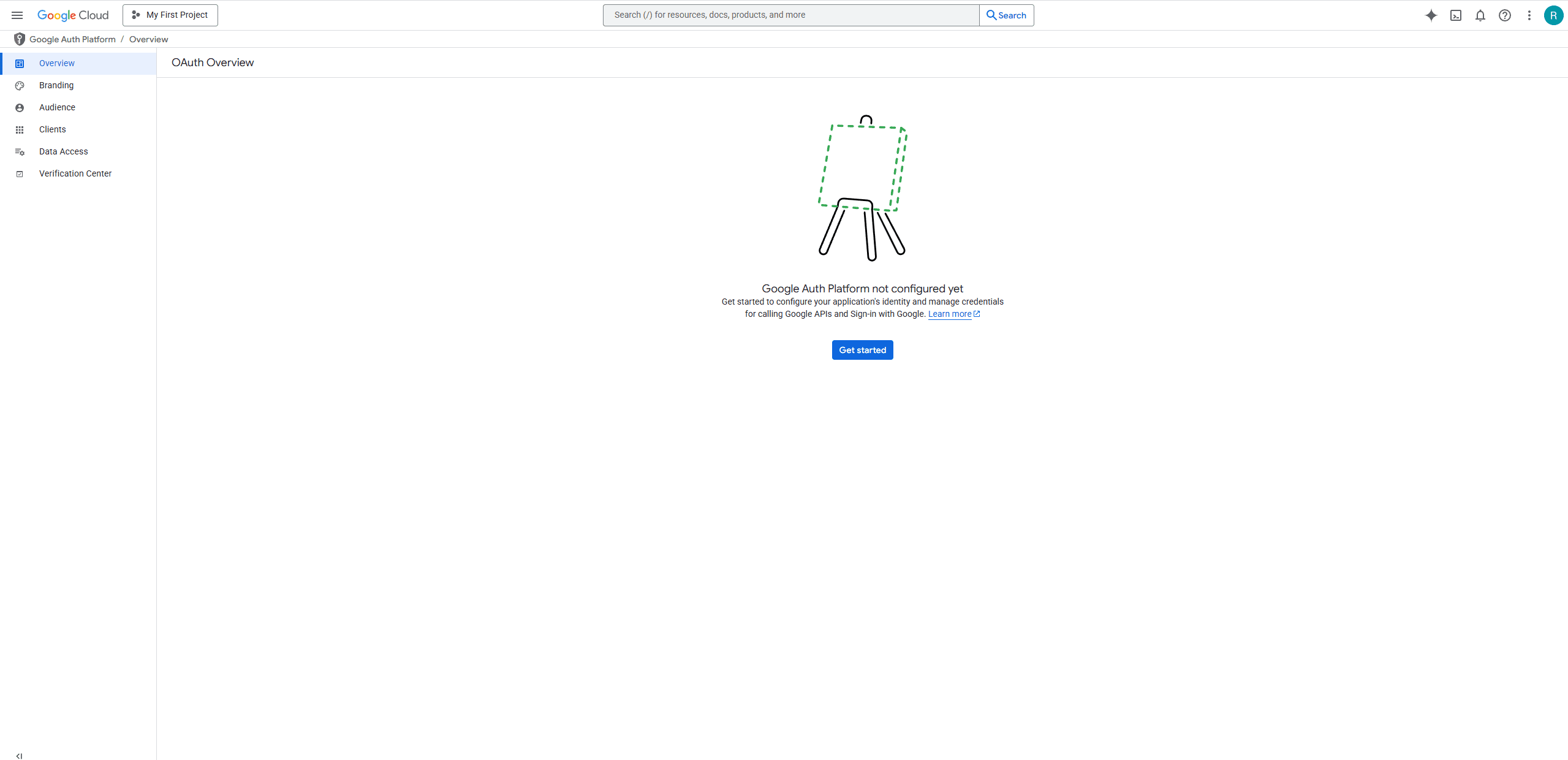
Step 3: Configure OAuth Consent Screen
- Go to APIs & Services > OAuth consent screen
- Select External user type (or Internal if using Google Workspace)
- Fill in the required information:
- App name:
SurfSense - User support email: Your email address
- Developer contact information: Your email address
- App name:
- Click Save and Continue
Add Scopes
- Click Add or Remove Scopes
- Add the following scopes:
https://www.googleapis.com/auth/gmail.readonly- Read Gmail messageshttps://www.googleapis.com/auth/userinfo.email- View user email address
- Click Update and then Save and Continue
Step 4: Create OAuth Client ID
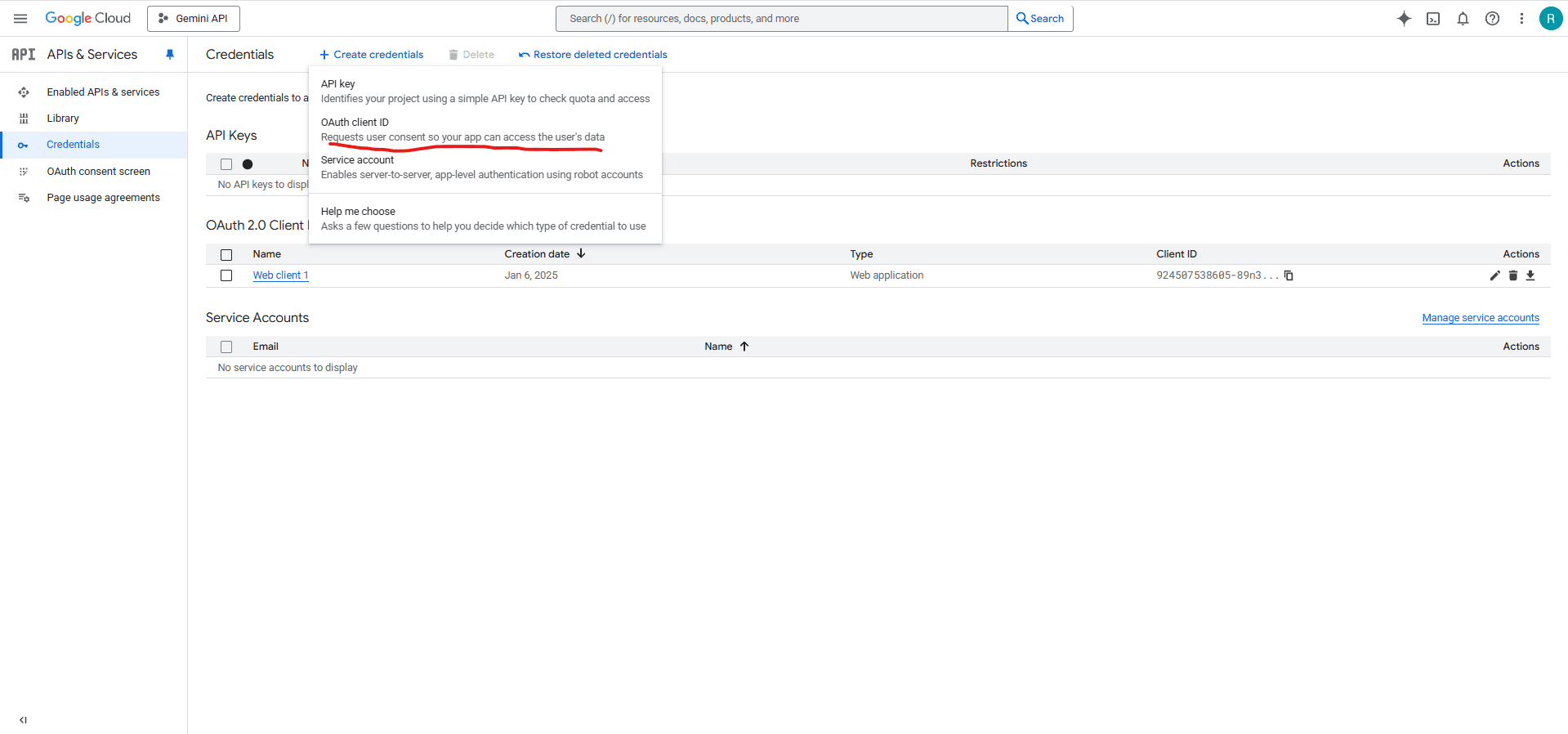
- Go to APIs & Services > Credentials
- Click Create Credentials > OAuth client ID
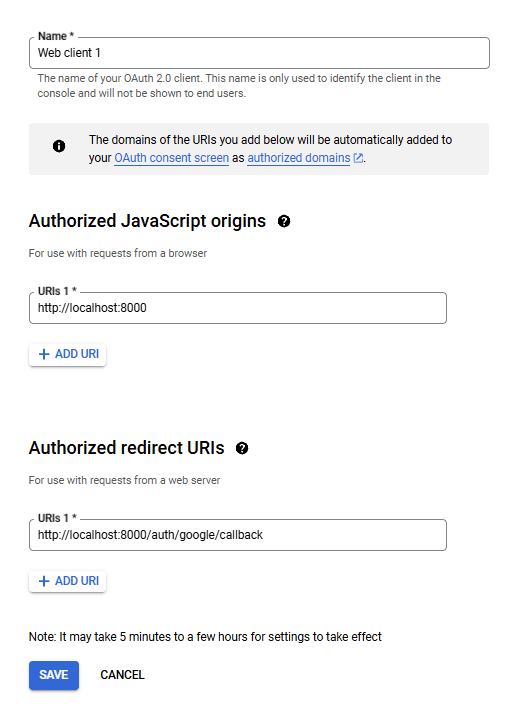
- Select Web application as the application type
- Enter Name:
SurfSense - Under Authorized redirect URIs, add:
http://localhost:8000/api/v1/auth/google/gmail/connector/callback - Click Create
Step 5: Get OAuth Credentials
- After creating the OAuth client, you'll see a dialog with your credentials
- Copy your Client ID and Client Secret
⚠️ Never share your client secret publicly.
Running SurfSense with Gmail Connector
Add the Google OAuth environment variables to your Docker run command:
docker run -d -p 3000:3000 -p 8000:8000 \
  -v surfsense-data:/data \
  # Gmail Connector
  -e GOOGLE_OAUTH_CLIENT_ID=your_google_client_id \
  -e GOOGLE_OAUTH_CLIENT_SECRET=your_google_client_secret \
  -e GOOGLE_GMAIL_REDIRECT_URI=http://localhost:8000/api/v1/auth/google/gmail/connector/callback \
  --name surfsense \
  --restart unless-stopped \
  ghcr.io/modsetter/surfsense:latest