Connectors
Notion
Connect your Notion workspaces to SurfSense
Notion OAuth Integration Setup Guide
This guide walks you through setting up a Notion OAuth integration for SurfSense.
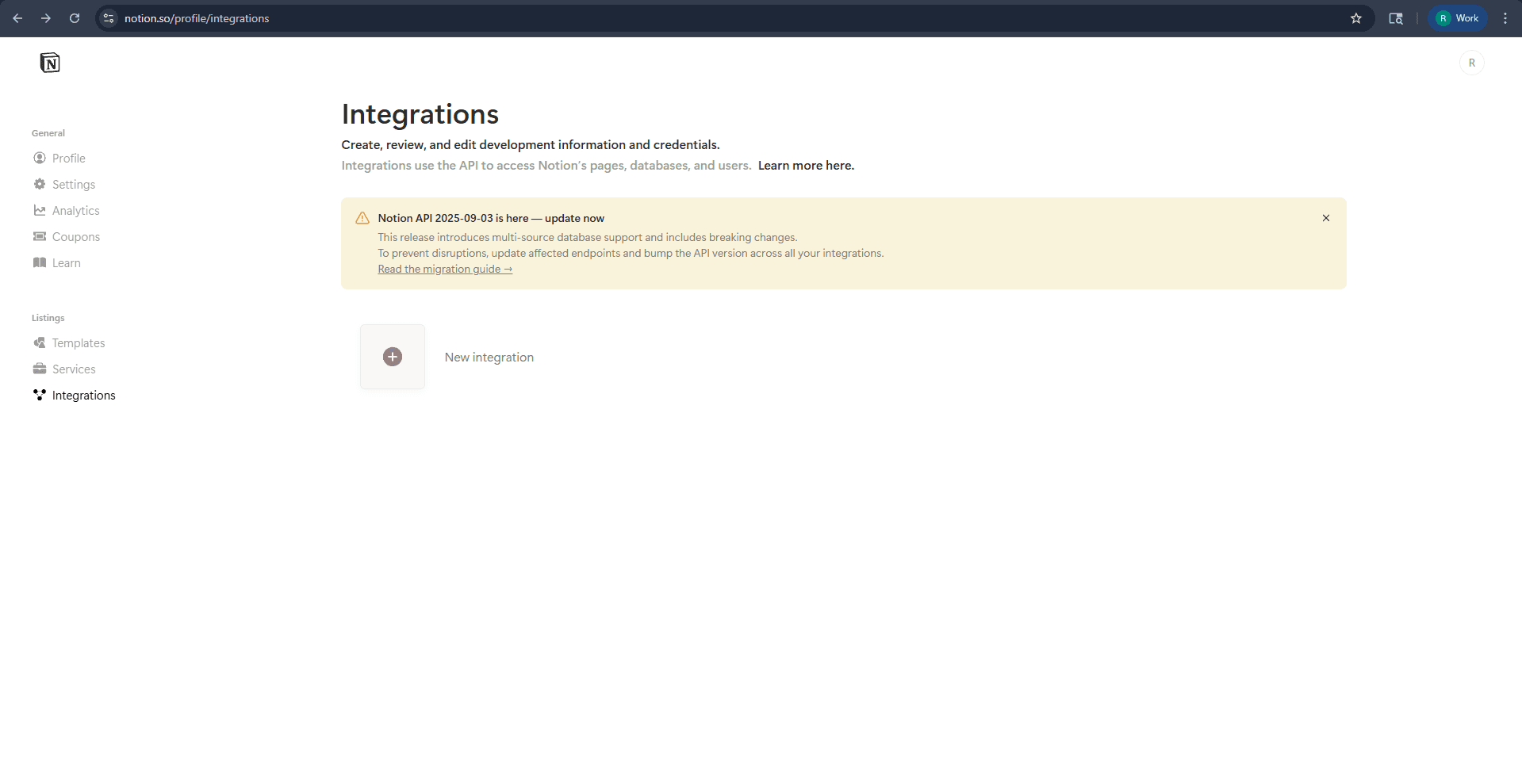
Step 1: Access Notion Integrations
- Navigate to notion.so/profile/integrations
- Click the "New integration" button
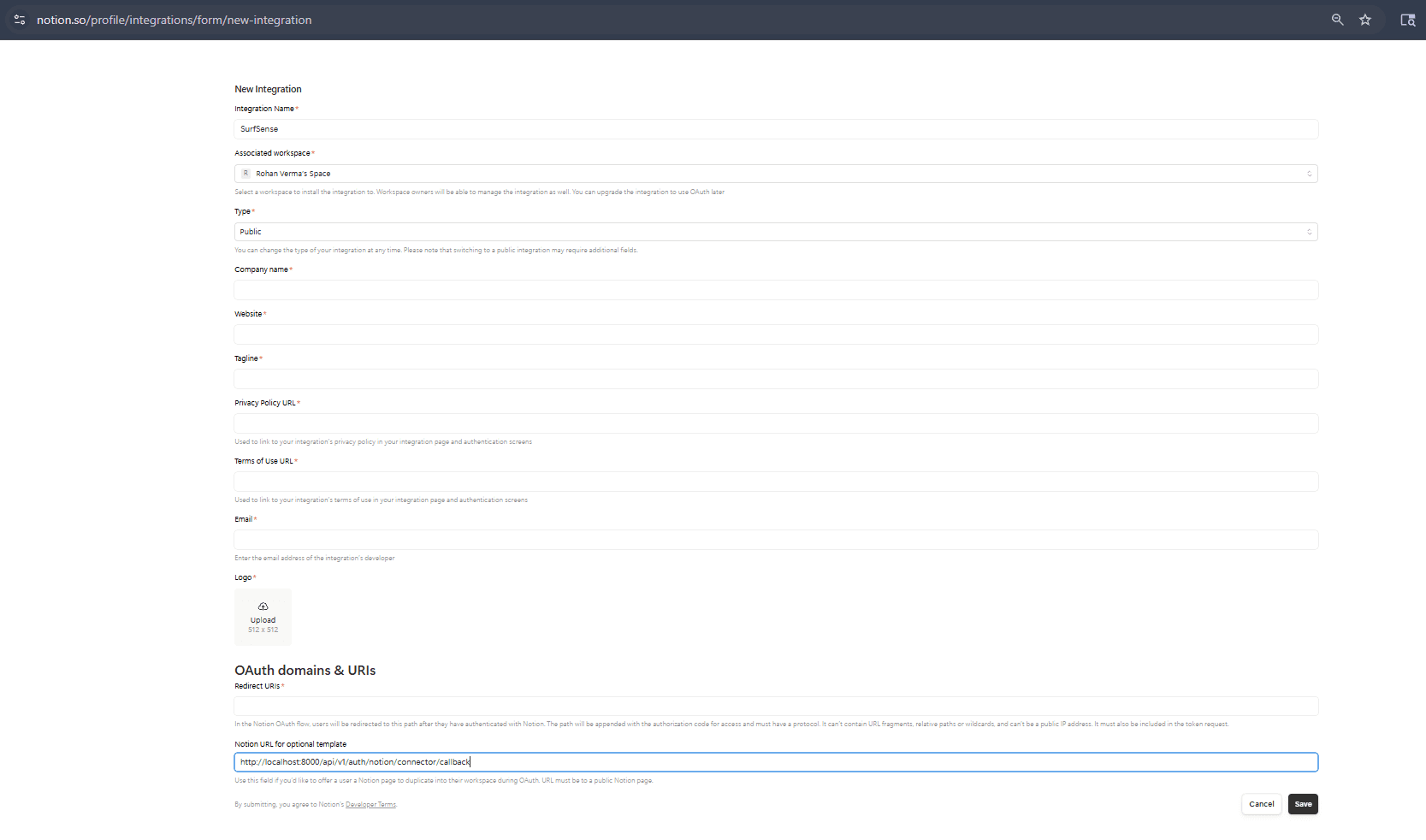
Step 2: Configure New Integration
Fill in the integration details:
| Field | Value |
|---|---|
| Integration Name | SurfSense |
| Associated workspace | Select your workspace |
| Type | Public |
| Company name | Your company name |
| Website | Your website URL |
| Tagline | Brief description |
| Privacy Policy URL | Your privacy policy URL |
| Terms of Use URL | Your terms of use URL |
| Your developer email | |
| Logo | Upload a 512x512 logo |
OAuth Redirect URI
Under OAuth domains & URIs, set the Redirect URI to:
http://localhost:8000/api/v1/auth/notion/connector/callbackClick Save to create the integration.
Step 3: Get OAuth Credentials & Configure Capabilities
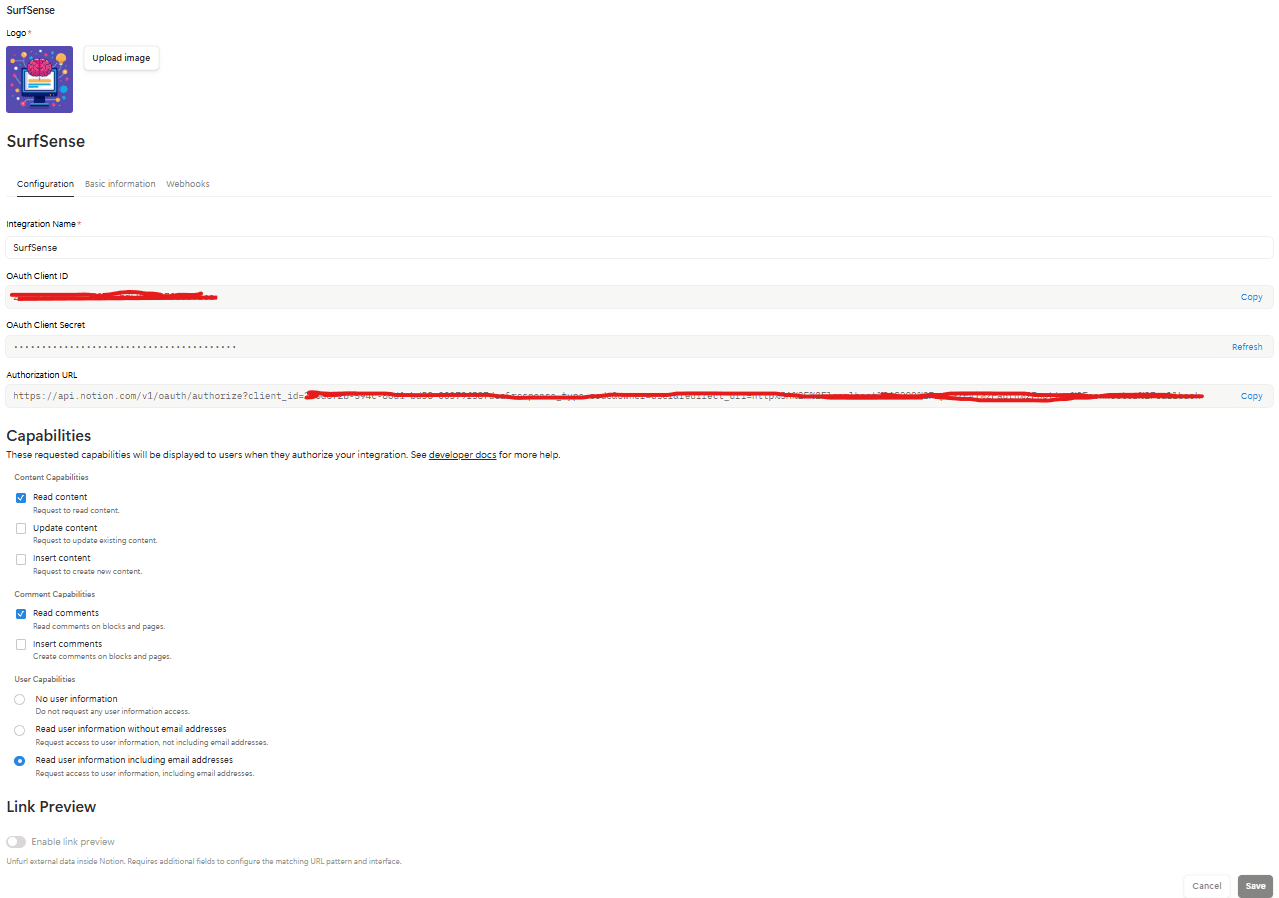
After creating the integration, you'll see the configuration page with your credentials:
- Copy your OAuth Client ID
- Copy your OAuth Client Secret (click Refresh if needed)
Set Required Capabilities
Under Content Capabilities, enable:
- ✅ Read content
Under Comment Capabilities, enable:
- ✅ Read comments
Under User Capabilities, select:
- 🔘 Read user information including email addresses
Click Save to apply the capabilities.
Running SurfSense with Notion Connector
Add the Notion environment variables to your Docker run command:
docker run -d -p 3000:3000 -p 8000:8000 \
  -v surfsense-data:/data \
  # Notion Connector
  -e NOTION_OAUTH_CLIENT_ID=your_notion_client_id \
  -e NOTION_OAUTH_CLIENT_SECRET=your_notion_client_secret \
  -e NOTION_REDIRECT_URI=http://localhost:8000/api/v1/auth/notion/connector/callback \
  --name surfsense \
  --restart unless-stopped \
  ghcr.io/modsetter/surfsense:latest